Turning Your Earbuds into a PC Microphone: Setup and Adapters
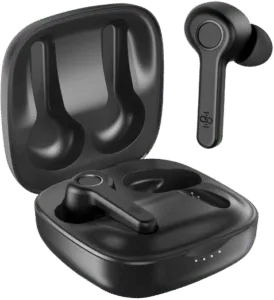
Most phone earbuds have a tiny microphone built into the cable or the buds, yet plugging them into a computer often gives you sound out and nothing in. The reason is the hardware, not the earbuds. Older desktops tend to have two separate analog sockets, one for headphones and one for a mic, while phone earbuds use a single combined plug and have no USB connector. Put the plug into the headphone socket and you only hear audio; to talk through the earbuds, the computer has to be told to treat them as an input.
Why bother instead of buying a real microphone? Mostly to save money. A desktop usually has no built-in mic, and for Skype calls or quick voice notes a dedicated microphone can feel like an unnecessary expense. Laptop owners sometimes face the same situation when the built-in mic stops working and they want a free stand-in.
Setting earbuds up as a microphone
With a standard 3.5 mm plug, the configuration takes a couple of minutes:
- Insert the earbud plug into the computer's microphone socket.
- Open the Control Panel and go to the Sound settings (System, then Sound).
- Choose the option to manage audio devices and switch to the recording list.
- Lightly tap the earbuds a few times while watching for green level bars next to a device.
- When the bars respond, make that device the default and you are ready to talk.
Accessories that help
- Audio splitter. Splits a single combined plug into separate headphone and mic leads, so the earbuds work for listening and speaking at once. It only helps on a computer that still has two separate jacks, and splitters are cheap and easy to find.
- USB adapter. Converts the small jack into USB-A, which suits newer machines that lack dedicated sockets. Some models even let you adjust mic and audio levels.
- Lightning adapter. iPhone earbuds supplied from the iPhone 7 onward have no round jack, so they need a Lightning to USB-A adapter to reach a computer.
- Bluetooth. Wireless earbuds can pair over Bluetooth, using an external dongle if the computer has no built-in radio. They still have to be set as the recording device through the same steps above.
What to expect from the result
The method usually works, but not always. Earbuds, computers and adapters come in many combinations, and an adapter may simply not cooperate with your pair, so it is worth checking compatibility online or with the seller before buying anything. Sound quality is the other caveat: a microphone designed for voice will always beat the tiny capsule in a set of earbuds. Think of them as an average, low-cost stand-in for calls and voice messages rather than a recording tool.
If the earbuds still stay silent, run the built-in troubleshooter. The usual culprits are a missing microphone driver or a default recording device that was never selected. Once those are fixed, the earbuds should cover temporary needs until you decide whether a proper microphone is worth buying.