Blue Yeti Review: A Versatile USB Mic for Voice and Music
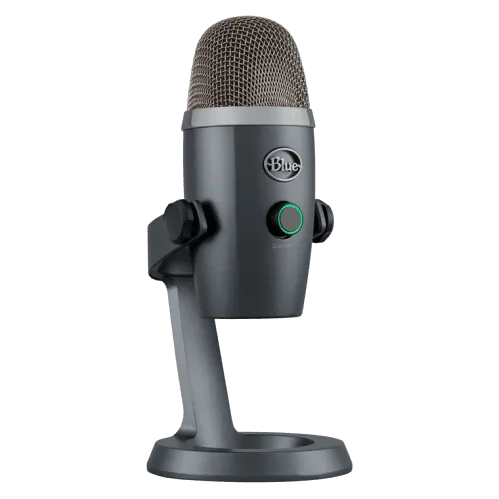
Few USB microphones have earned as much goodwill among content creators as the Blue Yeti. This review rates it as a top pick for professionals and noted that plenty of YouTubers rely on it for streaming and podcast work. In the reviewer's view, a good USB mic has two jobs: deliver great sound and get out of the way during setup. The Yeti, they argued, manages both, which is why it is so often recommended by podcasters, vloggers and video makers. The review also points out that it is not only a voice tool – it can capture musical instruments as well, so musicians were told it could be a sensible first purchase.
Key features and recording modes
The review spent most of its time on the hardware and the pickup patterns, which it treated as the heart of the product. The main points were these:
- Four selectable patterns. Being able to switch how the mic listens lets you capture sound from different directions, which the reviewer described as a real advantage for voice-overs and general recording.
- Plug-and-play USB. No drivers or extra software are needed. You connect the cable and start recording, and the mic works with both Windows and Mac computers.
- Recording specs. The Yeti records at 16-bit and 48 kHz, with a frequency response of roughly 20 Hz to 20 kHz.
- Colour choices. It comes in several finishes, and the review described it as budget-friendly overall.
- Optional accessories. Pairing it with the Compass boom arm and the Radius III shock mount was suggested as a way to turn a desk into a small broadcast setup.
How each pattern is meant to be used
Cardioid is the default and most popular mode. It focuses on whatever is directly in front of the capsule and reduces noise coming from the sides, so the reviewer recommended it for voice-overs, commentary, video calls and live streams on platforms like YouTube or Facebook. The result, according to the review, is a full and rich voice that stays centred on the speaker.
Stereo mode records a left and right image, which the review suggested for a conversation between two people or for capturing a wide, natural-sounding scene. Omnidirectional picks up sound evenly all around the mic and was recommended for conference calls, since it makes the listener feel present in the room. Bidirectional (figure-eight) listens to the front and the back while rejecting the sides, which the reviewer singled out as the right choice for a two-host podcast.
Two practical tips rounded out the setup section. A dial on the front lets you adjust the level of the input, and beginners were warned against speaking into the top of the Yeti. Because it is a side-address microphone, you should talk into its front face instead.
The verdict: strengths and weak spots
On the positive side, the review listed:
- Good suppression of background noise
- A range of pattern settings for different situations
- Compatibility with both Windows and Mac
- Suitability for singing and vocal recording
- Sturdy build and a practical, foldable design
- Simple setup with nothing to install
- An affordable price
The complaints were short. Unmuting the microphone was described as a little awkward, and the reviewer was not impressed by customer support. Beyond that, they said they found no serious flaw.
The overall conclusion was clearly enthusiastic: the Blue Yeti was presented as an outstanding recorder for YouTube content, gaming commentary, voice-overs and even casual video chats with friends. Its combination of a reasonable price, easy installation and flexible patterns is what earned it the reviewer's recommendation as an all-round USB microphone.